

AI agents in Copilot Studio: where they help, and where they don't
Almost every conversation about automation now ends up at AI agents sooner or later. Microsoft’s answer is Copilot Studio, the Power Platform tool where an agent is assembled from knowledge sources, instructions and actions, mostly without writing code.
The idea is appealing, but an agent is not a replacement for every process. It works well where the input is messy and the questions repeat. It works badly where the outcome has to be the same every time.
What an agent actually is
A classic Power Automate flow follows a path drawn in advance: if this happens, do that. An agent is given a goal, instructions and a list of tools, and decides for itself which step to take based on what the user writes.
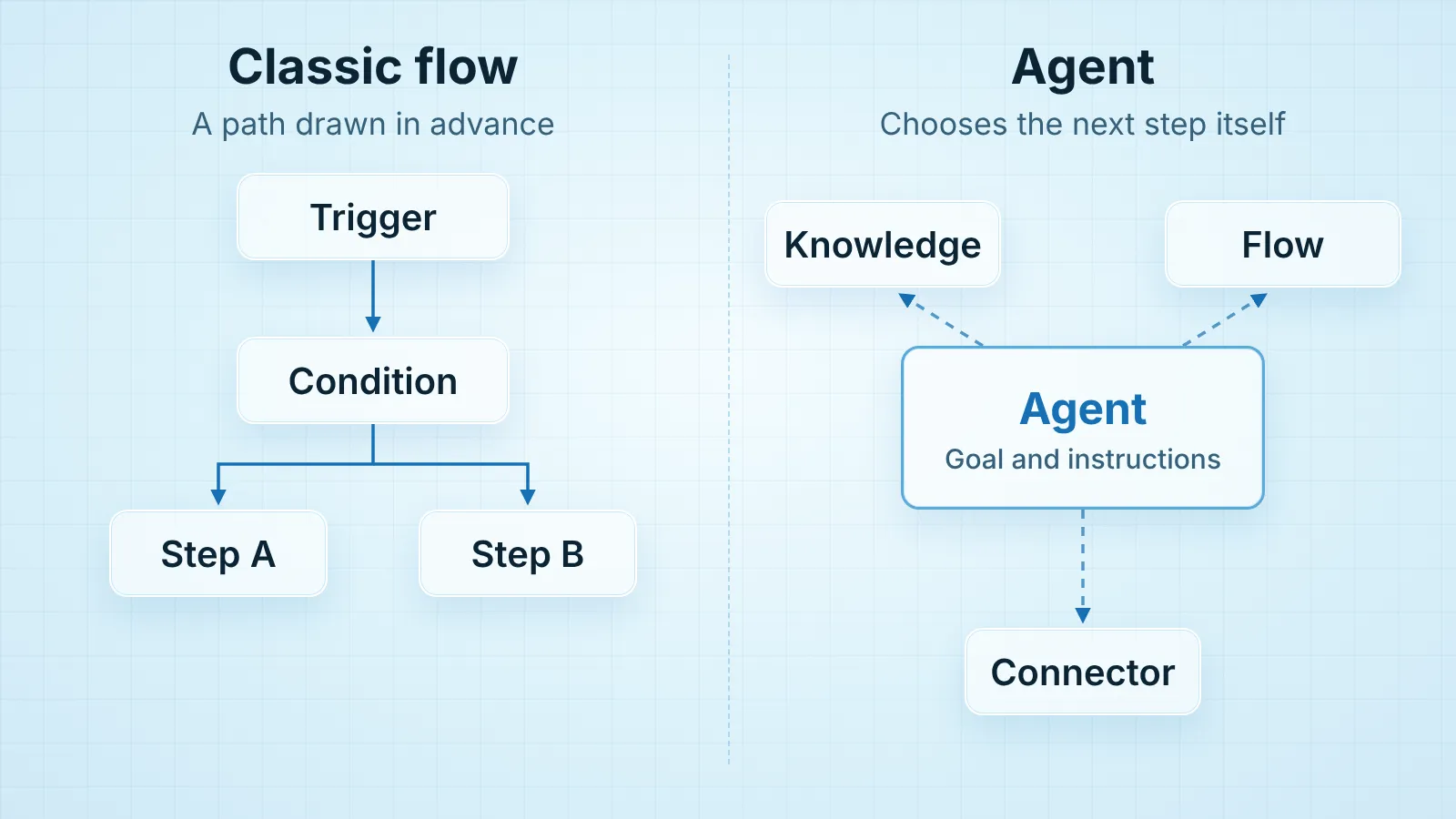
In Copilot Studio an agent has three parts:
- Knowledge: SharePoint pages and documents, public websites, uploaded files or Dataverse tables
- Instructions: a description of its role, tone and limits, written in plain language
- Actions: connectors and Power Automate flows through which the agent actually does something, rather than only answering
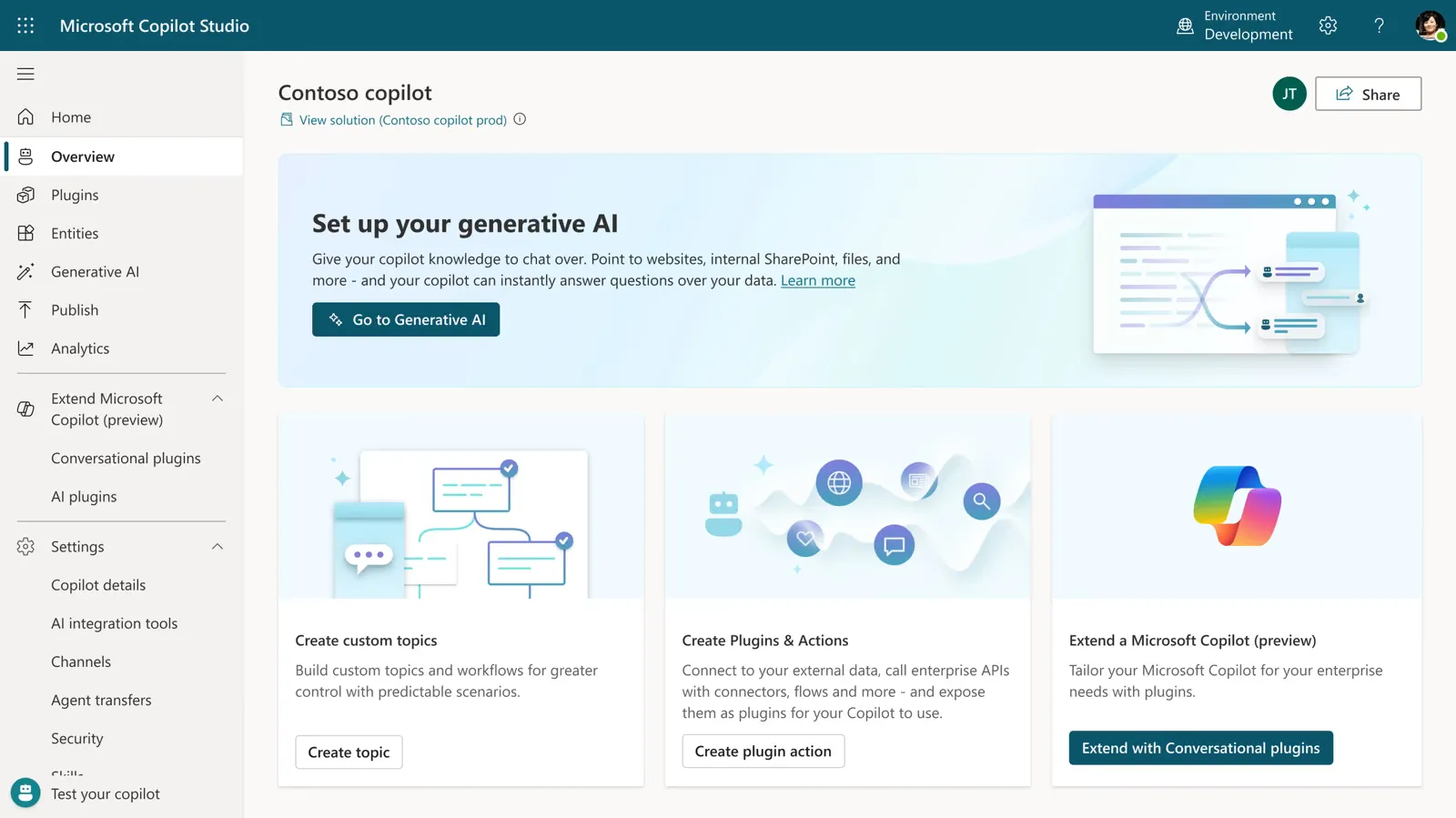
The finished agent is published in Teams, on a website or inside Microsoft 365 Copilot.
Where it pays off
Questions whose answer is already written down somewhere. The travel expense policy, the VPN instructions, how to report sick leave. People ask a colleague because they do not know where the document lives. An agent over that SharePoint library answers in Teams and cites its source, so the user can check for themselves.
First contact that only sorts things. Website enquiries or internal IT requests often arrive without the key details. An agent can ask follow-up questions, collect what is missing and open the request in the right queue. A person still makes the decision, but receives a complete request.
Simple actions on the user’s behalf. Checking an order status, booking a meeting room, submitting a leave request. Behind each of these sits an ordinary Power Automate flow, and the agent is simply a more natural way to start it.
Where to be careful
An agent is only as accurate as the documents behind it. If SharePoint holds three versions of the same policy, the agent will sometimes quote the wrong one. Clean up the sources before building the agent, not after.
Permissions become visible. An agent that uses SharePoint as knowledge respects the user’s permissions, but that also means it will find everything that was shared more widely than it should have been. A salary file in the wrong folder used to be hidden only because nobody went looking for it. With an agent, it is not.
Some things must not depend on judgement. Calculations, bookkeeping entries, changes to ERP data: here you want the same input to give the same result every time. Keep those steps in a classic flow, and let the agent handle the conversation around them.
Cost grows with use. Copilot Studio is billed by consumption, depending on the licence, so an agent the whole company uses is not the same as a flow that runs ten times a day. Estimate the cost before publishing, not after the first invoice.
How to start
Pick one area with plenty of repeated questions and documentation that already exists, such as HR or IT support. Build an agent for that area only, give it to a small group of users and track the questions it could not answer. Those questions show you which document is missing, which is worth knowing even if you end up dropping the agent.
Our Copilot Studio agents page shows how we build one, with an IT helpdesk agent as the example.
If you are considering an agent and are not sure your process is the right place for one, get in touch. We will tell you honestly if a classic flow would be the better choice.